

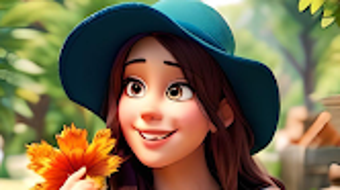
Description
Download AI Art Photo Toon Photo Maker – Anime Art Generator, AI Photo to Anime, Text to Image, AI Art Styles
Overview
AI Art Photo Toon Photo Maker is a desktop application designed to transform ordinary photographs into anime-style artwork using artificial intelligence. The software enables users to generate unique visual content by applying over 70 AI art styles, offering a creative outlet for individuals interested in digital illustration and anime aesthetics. It supports both image-to-anime conversion and text-to-image generation, allowing users to input descriptive prompts and receive stylized outputs tailored to their vision. This tool is ideal for casual creators, hobbyists, and digital artists seeking an accessible way to experiment with anime art without requiring advanced design skills.
The application provides a range of creative utilities, including a tattoo generator, logo generator, and sticker generator, expanding its functionality beyond simple photo transformation. These tools support users in creating personalized designs for personal use or social sharing. The software includes a generation history feature, enabling users to revisit and refine past creations, as well as a prompt history function to streamline future projects. With a focus on ease of use and creative exploration, the application is positioned as a versatile tool for artistic experimentation and social content creation.
Key Features & Capabilities
- AI-Powered Photo to Anime Conversion: Transforms standard photos into anime-style illustrations using advanced AI models, preserving facial features while applying stylized effects.
- Text-to-Image Generation: Allows users to input descriptive text prompts and generate anime-style images based on the input, enabling creative expression through language.
- 70+ AI Art Styles: Offers a wide selection of predefined styles inspired by popular anime genres, giving users flexibility in achieving desired visual outcomes.
- Integrated Creative Tools: Includes a tattoo generator, logo generator, and sticker generator to support diverse creative projects beyond photo transformation.
- Generation and Prompt History: Stores past creations and input prompts, allowing users to review, modify, and reuse previous work efficiently.
- One-Click Sharing: Enables direct sharing of generated artwork to social media platforms, facilitating quick and easy content distribution.
These features are particularly useful for users creating profile pictures, social media content, or digital art for personal enjoyment. The combination of image and text input methods ensures accessibility for users with varying levels of artistic experience. The history functions support iterative refinement, making the tool suitable for both spontaneous creativity and structured design workflows.
User Interface, Workflow & Performance
The application features a clean, intuitive interface designed for seamless navigation and efficient workflow. Users can upload photos or enter text prompts through clearly labeled input fields, with immediate visual feedback during processing. The layout prioritizes accessibility, placing core tools within easy reach and minimizing the need for complex menu navigation.
Workflow efficiency is enhanced by the integration of history functions and style presets, allowing users to quickly iterate on designs without starting from scratch. The software processes image transformations and text-based generation in a timely manner, though exact performance metrics were not specified. The developer did not provide additional system requirements or resource usage details.
Based on general software behavior patterns, the application is expected to operate smoothly on modern desktop systems with standard graphics capabilities. Stability appears to be maintained through consistent processing, though no user-reported issues were documented. The interface remains responsive during active sessions, supporting uninterrupted creative flow.
Compatibility & System Requirements
AI Art Photo Toon Photo Maker is available for Windows and Mac operating systems. The latest version, 1.2.1, was released on 2024-06-10. The installation size is listed as 150 MB. The developer did not specify exact system requirements, including CPU, RAM, or GPU details.
Platform compatibility information is limited to the supported operating systems. The application is designed to run on desktop environments, suggesting it is optimized for full-screen interaction and high-resolution output. No information was provided regarding compatibility with older OS versions or specific hardware configurations.
Pros and Cons
Pros
- Effortless transformation of photos into anime-style art using AI
- Supports both image and text input for creative generation
- Over 70 AI art styles available for diverse visual outcomes
- Includes multiple creative tools like tattoo, logo, and sticker generators
- Generation and prompt history improve workflow efficiency
- One-click sharing to social media platforms
- Free to download and use with optional in-app purchases
Cons
- Exact system requirements were not listed
- Performance details, including CPU and RAM usage, were not provided
- Limited information on offline functionality
- No details on data privacy or cloud storage policies
- Dependency on AI processing may affect speed on lower-end systems
FAQ Section
Is AI Art Photo Toon Photo Maker available for Windows and Mac?
Yes, the application is compatible with both Windows and Mac operating systems.
Can I use the app without an internet connection?
Information regarding offline usage was not provided. The app may require internet access for AI processing, but this was not confirmed.
Is the software free to download and use?
Yes, AI Art Photo Toon Photo Maker is free to download and use. Optional in-app purchases are available for premium features.
What types of AI art styles are available?
The app offers over 70 AI art styles inspired by popular anime genres, allowing users to customize the visual output of their creations.
How do I access my previous creations?
The application includes a generation history feature that allows users to view, revisit, and modify past outputs.
Final Thoughts
AI Art Photo Toon Photo Maker delivers a compelling blend of creativity and accessibility, making it a standout choice for users interested in transforming photos into anime-style artwork. Its dual input method—supporting both image uploads and text prompts—caters to a wide range of creative needs, while the inclusion of supplementary tools like tattoo and logo generators adds functional versatility. The clean interface and history features streamline the creative process, enhancing productivity and user satisfaction.
While specific technical details such as system requirements and performance metrics are not available, the application’s core functionality is well-suited for casual users and digital artists alike. The free availability with optional premium upgrades makes it accessible to a broad audience. For those seeking a simple, engaging way to explore AI-generated anime art, this tool offers a strong value proposition.
Download AI Art Photo Toon Photo Maker now
Guides & Tutorials for AI Art Photo Toon Photo Maker
How to install AI Art Photo Toon Photo Maker
- Click the Preview / Download button above.
- Once redirected, accept the terms and click Install.
- Wait for the AI Art Photo Toon Photo Maker download to finish on your device.
How to use AI Art Photo Toon Photo Maker
This software is primarily used for its core features described above. Open the app after installation to explore its capabilities.
User Reviews for AI Art Photo Toon Photo Maker 0
No reviews found





